
Introduction
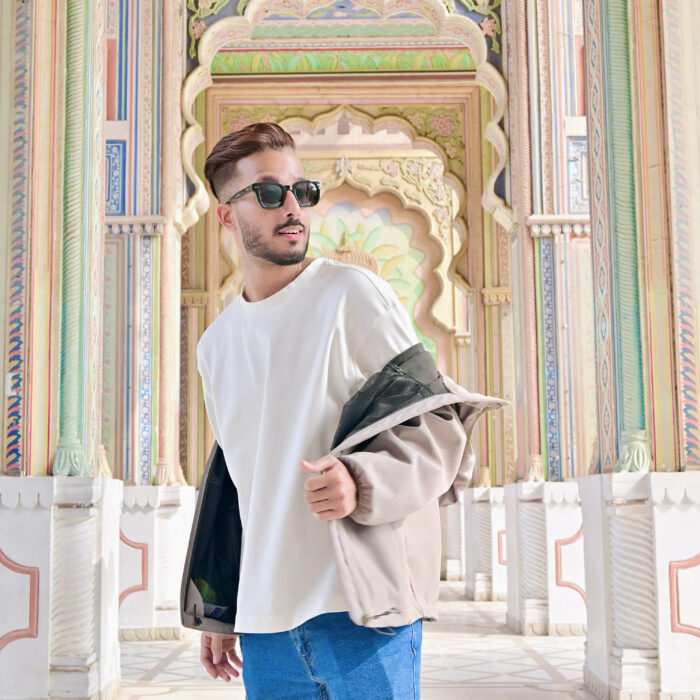
I’m Abhishek Shukla, a 3D Artist and Product Designer from India, with over 8 years of professional experience creating 3D models, product concepts, visualizations, and animations. My work sits at the intersection of product design and 3D visualization, with a particular focus on hard-surface modeling, materials, lighting, and realistic product renders. I completed my Bachelor of Science in Multimedia and Animation in 2018 and joined a company as a 3D Artist and Product Designer.
Since then, I’ve worked across a variety of projects, from concept product design and commercial visualization to 3D-printing projects, concept automotive designs, and 3D assets for gaming companies. Working across these different areas has allowed me to develop both the technical and design sides of my workflow. One of my early milestones as a 3D artist was placing third in an Arnold Render Challenge in India with a personal Lamborghini project in 2018. Around the same period, I began sharing my work online on Instagram and developing my KeyShot skills independently. Within my first year of using KeyShot, I was fortunate to be followed on Instagram by the official KeyShot, Autodesk, and Autodesk Maya accounts. As a 3D artist and student, being recognized by these accounts and placing third in an all-India rendering competition were among my biggest accomplishments as a student and gave me confidence that I was moving in the right direction.
Since becoming a professional, my personal portfolio work has also received recognition from the creative community. Several of my personal renders have been featured by KeyShot, Autodesk Maya, and Adobe Substance 3D Painter on their Instagram platforms. Most recently, my Aluminum Luggage Concept, created as a personal portfolio project, was featured in Behance’s Product Design gallery in the Visualization category. Today, I continue working as a 3D Artist and Product Designer, creating work that combines design, 3D modeling, materials, lighting, realistic product renders, and visual storytelling.
デザインに興味を持ったきっかけは何ですか?
Two things really sparked my interest in design: my love for automobiles and my curiosity about how things are created digitally. Before I ever touched 3D software, I had only seen 3D modeling on television—programs like National Geographic showing how car aerodynamics were tested or how complex structures could be visualized inside a computer. I was fascinated by the idea that something could be designed, shaped, and explored digitally. At 16, while still in school, I was looking for an antivirus when I discovered Google SketchUp on my friend’s pen drive. I had never seen anything like it, so I installed it and began exploring it out of curiosity. I had no knowledge of architecture, but I wanted to see how far I could take this new software, so I decided to recreate my own school. Around the same time, I was a huge fan of Need for Speed Most Wanted, the EA racing game, which strengthened my interest in automobiles. Creating things in 3D was still something I enjoyed personally, but I started wondering if I could recreate my own cars. As I explored further, I realized Google SketchUp was mainly designed for architectural work, so I began looking for a more powerful tool that would allow me to explore automobiles and more complex forms. Eventually, I decided that 3D was something I wanted to pursue as a career, not just a personal interest. I joined a graduation course in this field, where I finally got my hands on Autodesk Maya. Compared with SketchUp, Maya felt like a completely different world, giving me the freedom to create almost anything I imagined. I began teaching myself automotive modeling and gradually moved toward product design and visualization, wanting to build a portfolio that balanced both automotive and product design.
During college, Apple became a major influence on me. I was genuinely in love with the iPhone—not only because of the product itself, but because of how beautifully Apple presented it. There was a large Apple billboard at one of the busiest intersections in my city that I passed almost every day on my way to college. I would look up at it whenever I walked by. This was during what I consider one of Apple’s most iconic design eras, with products such as the iPhone 5, iPhone 6, iPhone 7, iPhone 8, and later the iPhone X. What stood out to me was how Apple could make a product feel extraordinary without adding anything unnecessary—just simplicity, precision, and beautiful presentation. I became equally fascinated by Apple’s advertising videos, especially the iPhone commercials narrated by Jony Ive, where he would explain how the product was designed and why certain details mattered. During college, I would watch those videos repeatedly, sometimes every day. I was completely absorbed by the way Apple communicated its design philosophy through those films. That experience changed the way I looked at product visualization. I didn’t just want to model a beautiful product; I wanted to learn how to present it with the same simplicity, precision, and purpose that had captivated me every time I looked up at that billboard.
あなたのお気に入りのプロジェクトにはどのようなものがありますか?
Choosing a few favorites is difficult because each one represents a different stage of my journey, but a few are especially meaningful to me.
- Aluminum Luggage Concept — My newest project and probably the one I’m most proud of right now. I chose the luggage because I wanted to create a strong product-animation piece in KeyShot Studio, something that could demonstrate a side of my work that wasn’t strongly represented in my earlier portfolio.
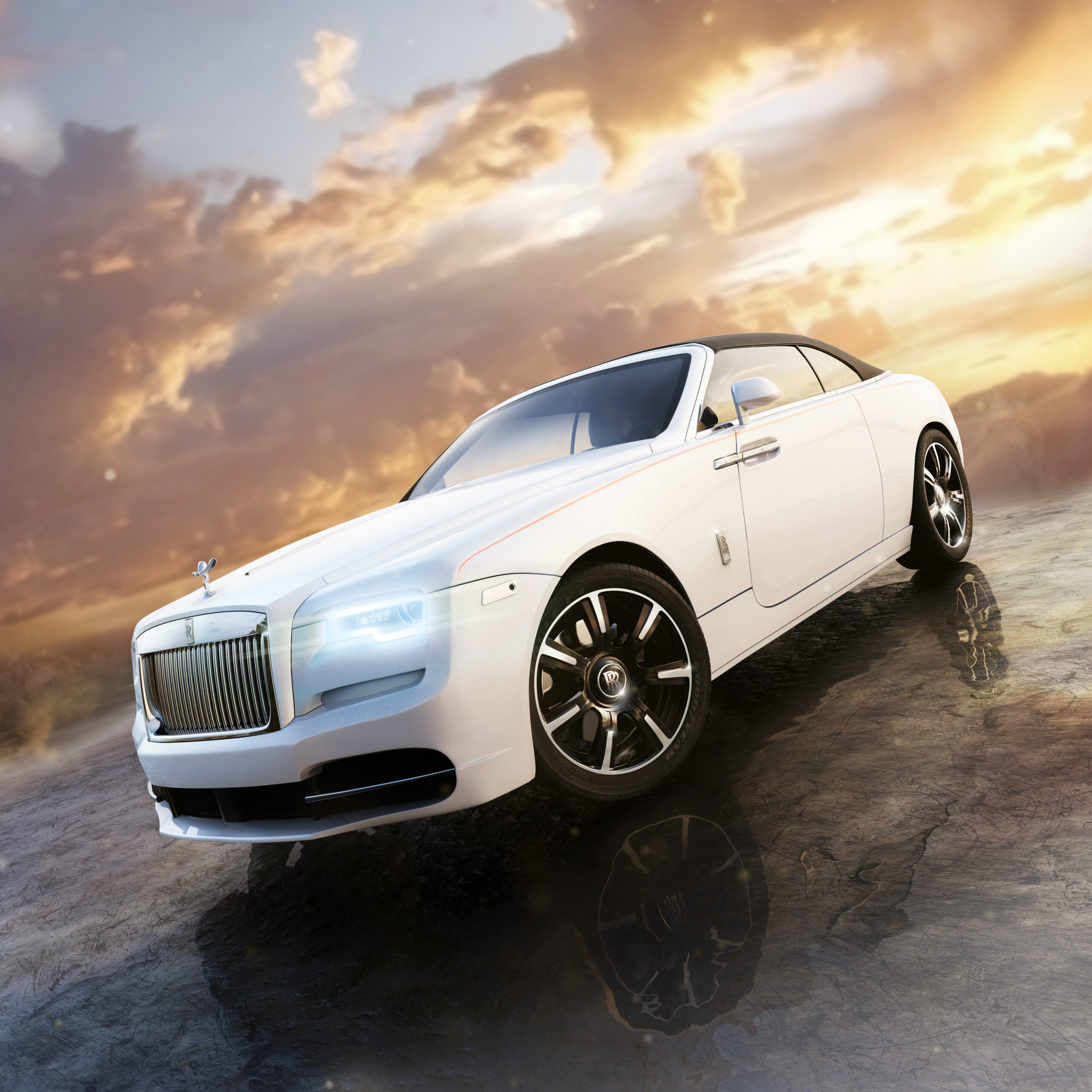
- Rolls-Royce Electric Concept — One of the projects closest to my roots in automotive modeling. I created it during lockdown 2020-2021, when I had the time to explore my first serious concept-car design and think beyond simply modeling an existing automobile.
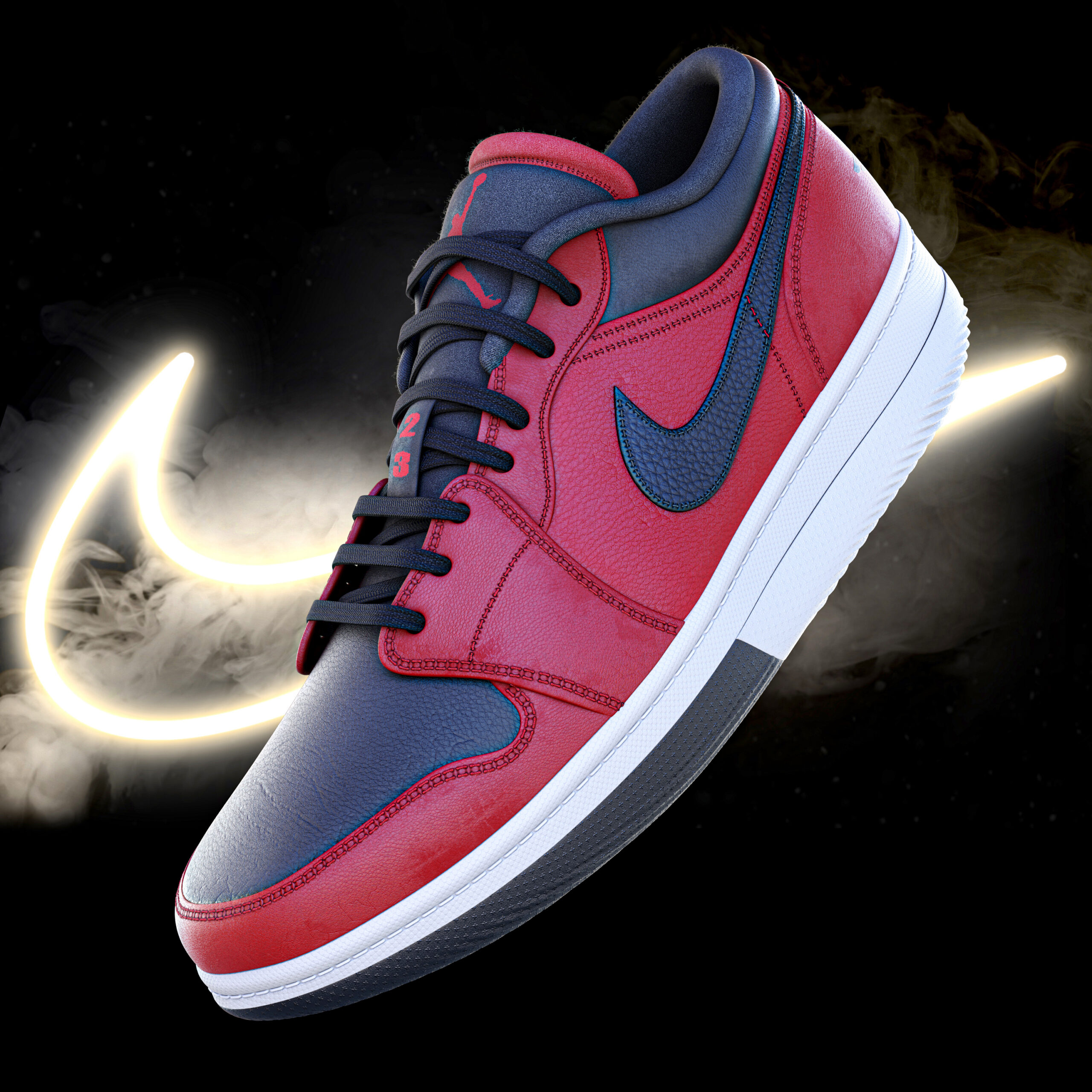
- Nike Air6 Drake CLB — I created this Nike shoe concept as a tribute to Drake’s 2021 album Certified Lover Boy, which was released during the lockdown period. The album’s visual identity inspired me to explore how its theme could translate into footwear. I used the shoe as a canvas for experimentation, developing multiple colorways.
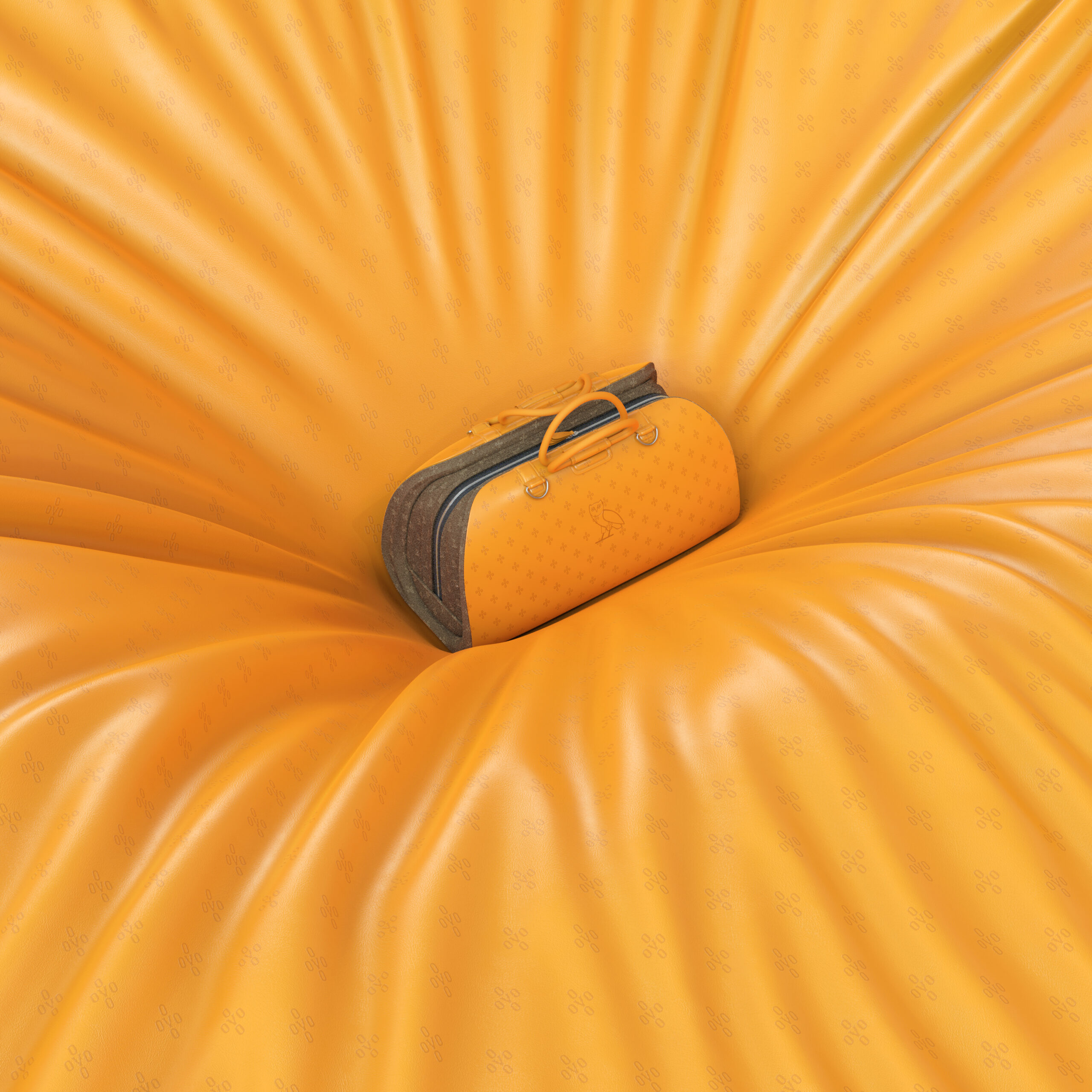
- OVO Traveling Bag Concept — Another project dedicated to Drake, where I wanted to explore the connection between fashion and travel and create a travel bag that could feel like a fashion statement.
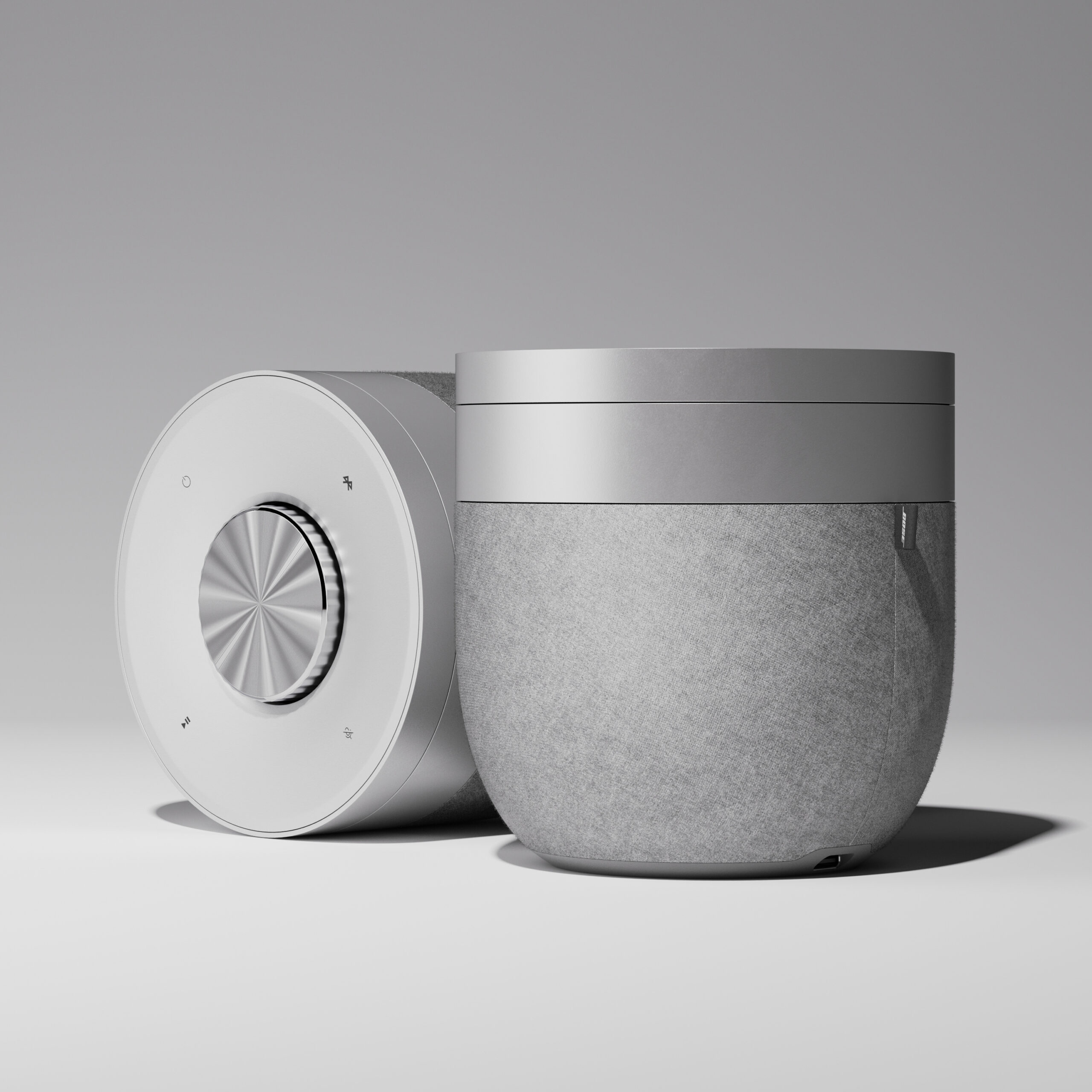
- Bose Speaker Concept Design — This project is especially meaningful to me because of my love for music. I wanted to create a beautiful, impactful industrial product around music, something that could form a human connection beyond its physical form. A speaker becomes part of people’s everyday moments, so I wanted the product itself to feel beautiful and purposeful.
Drake has been a constant part of my creative routine for years. I often keep his music playing while I work, especially during long 3D modeling sessions, and I had his latest album, Iceman, on repeat while finishing my Aluminum Luggage Concept. That made the timing of the project’s completion feel even more memorable. In many ways, these projects represent different chapters of my journey—from automobiles and product design to fashion, travel, animation, industrial design, and music, along with the creative influences that continue to shape my work.
"When you accept a difficult challenge instead of avoiding it, you learn more about yourself and what you are capable of."
制作プロセスのどのKeyShot Studio Studioを使用していますか?
As a product designer, I use KeyShot Studio at the stage where a product starts to take on its final identity. I usually begin by building the model in Autodesk Maya and developing the materials and textures in Adobe Substance 3D Painter. Once that foundation is ready, I bring it into KeyShot Studio to see how everything is working together and decide whether the modeling and texturing are ready to be finalized. For me, KeyShot Studio is more than the place where I create the final images. It acts as a checkpoint between design development and final presentation. This is where I can start experimenting with KeyShot’s tools and see how the product actually feels as a complete object.
Sometimes I discover that a surface needs more refinement, a proportion needs another look, or a texture isn’t behaving the way I expected. There is naturally a lot of back and forth between Maya, Substance 3D Painter, and KeyShot Studio during this stage. One feature I particularly value is being able to update an existing model while keeping the materials I have already assigned. I can modify the geometry in Maya, bring the updated version back into my existing KeyShot scene, and continue from where I left off instead of rebuilding everything. That makes the whole process much more flexible. Once I feel the product is finally right, KeyShot Studio becomes the space where I can bring all the decisions together and give the project its final visual identity.
What are your favorite KeyShot Studio tools or capabilities?
There are quite a few KeyShot Studio tools I really enjoy using, especially the ones that give me more control over the details, materials, and final character of a product. The Material Graph is one of my favorites. I enjoy building and refining materials myself, especially using nodes like Fuzz Geometry to create more specific surface characteristics. I also frequently use Displacement Maps, Multi Materials, and Labels when I need additional detail or flexibility. I especially like the Environment HDRI Editor and the ability to add Pins to an environment. Being able to position highlights exactly where I want them gives me much more control over how the form and materials are perceived.
One feature I particularly love is Split Object Surface, especially when I’m working with CAD-imported models. It makes it much easier to work on individual surfaces independently without having to go back and modify the original CAD file. I also find Geometry View very useful when I need to work with KeyShot physical lights, especially when positioning spotlights, area lights, or IES lights within the scene.
For the final image, I enjoy working with the Image and Photographic settings to fine-tune the overall character of the image and get closer to the result I have in mind. There are also some newer capabilities I’m looking forward to exploring, with Planar Lights being one of the features I’m planning to try very soon. What I enjoy most about these tools is the amount of control they give me while I’m experimenting, allowing me to keep refining the smallest details until the product finally looks the way I imagined it.

あなたの仕事に興味がある人に対して、どのようなアドバイスをしますか?
My biggest advice is to stay curious, build things that genuinely interest you, and learn to think beyond a single software or skill.
When I started learning 3D, there wasn’t an internet full of tutorials available to me, so I learned largely by experimenting, making mistakes, and finding my own solutions. Even today, when I really want to create something, I prefer discovering the answer myself rather than immediately looking it up. There is something valuable about combining your own creative thinking, technical understanding, and multiple tools to arrive at a result that feels truly yours. Tutorials can help you learn the tools, but personal projects are where you develop your own judgment and workflow.
For anyone starting today, especially if you’re young and creative, don’t let AI make you question your own ability to create. Use it, learn from it, and let it become another tool in your hands, but remember that AI can generate, interpret, and refine results without having the emotional connection behind why a person creates something. It doesn’t feel the frustration of being stuck, the excitement of discovering a new direction, or the satisfaction of seeing an idea that lived in your head finally become real. That emotional journey is deeply human, and I believe it is one of the things that gives creative work its meaning.
There is one thing I always remind myself: never be afraid to discover your new high or a new low, because those moments are often where we become stronger. When you accept a difficult challenge instead of avoiding it, you learn more about yourself and what you are capable of. Tools will continue to change, but your curiosity, creative judgment, problem-solving ability, and willingness to keep learning are what will keep you relevant. Most importantly, give yourself time, explore different disciplines, and focus on becoming someone who can take an idea from the first thought all the way to a finished piece.
Don’t let AI make you question your own ability to create. Use it, learn from it, and let it become another tool in your hands.
Learn how you can power your visuals with KeyShot today