

Introduction
I’m Nahla O’Rourke, the founder and CEO of Venus Safety. We build a discreet wearable safety bracelet and companion app that help women feel safer in everyday life, without compromising style. Using a simple press-escalation system, the bracelet can trigger a fake incoming call, send a GPS alert to trusted contacts, or start a covert audio recording, all without drawing attention.
Venus Safety started as my final-year project while I was studying Product Design at Sheffield Hallam University, where I graduated with a first-class honors in 2025. What began as a university project has grown into a real company designing for women and the people who love them.
The project has had some wonderful recognition along the way, including coverage from the BBC, and a feature in The Guardian, plus a pre-launch waitlist that has grown past 600 people entirely organically. I’ve recently closed my first funding round, and I’m now focused on bringing the bracelet to life visually, which is exactly where KeyShot comes in.
디자인에 관심을 갖게 된 계기는 무엇인가요?
For me, I’ve always been drawn to objects made with real intention and care, which is probably why product design clicked for me more than anything purely digital. The ability to shape something physically, and solve problems tactically, is perfect for how my brain works.
I love that a good product is a balance of both form and function, and Venus Safety is where that came together. I ensured that the feature list had everything you could need in an uncomfortable situation, but equally as important was the form. If a woman doesn’t want to wear it, then a safety tool left in a drawer helps no one. Designing something that could genuinely change how a woman feels walking home turned design from something I enjoyed into something that really mattered.

What sparked the idea for the Venus Safety project? What problem were you hoping to solve?
The idea behind Venus Safety started long before my final year project. I’m an avid solo traveller, I love a good night out, and there was one pain point I could trace through most days in my life. Who am I actually sharing this hostel room with? The instinct to never let a friend walk home alone. Never taking your eyes off your drink. A date or a taxi that doesn’t feel quite right.
None of these are the dramatic dark-alley scenario that people picture when they talk about women’s safety. They’re every day, constant, and every woman that I know knows what I’m talking about.
What they have in common is that you can’t make a scene. You’re not in a moment where a loud alarm helps, you’re in one where you need to feel in control without drawing attention to yourself. That gap is what I want to close with Venus – discreet safety for the situations that nobody designs for.
Talk to the people you’re designing for, as much as you can. My best decisions came from listening to real women describe real situations, not from my assumptions about what they needed. Design for their problem.
What design challenges did you discover in the project, and how did you overcome them?
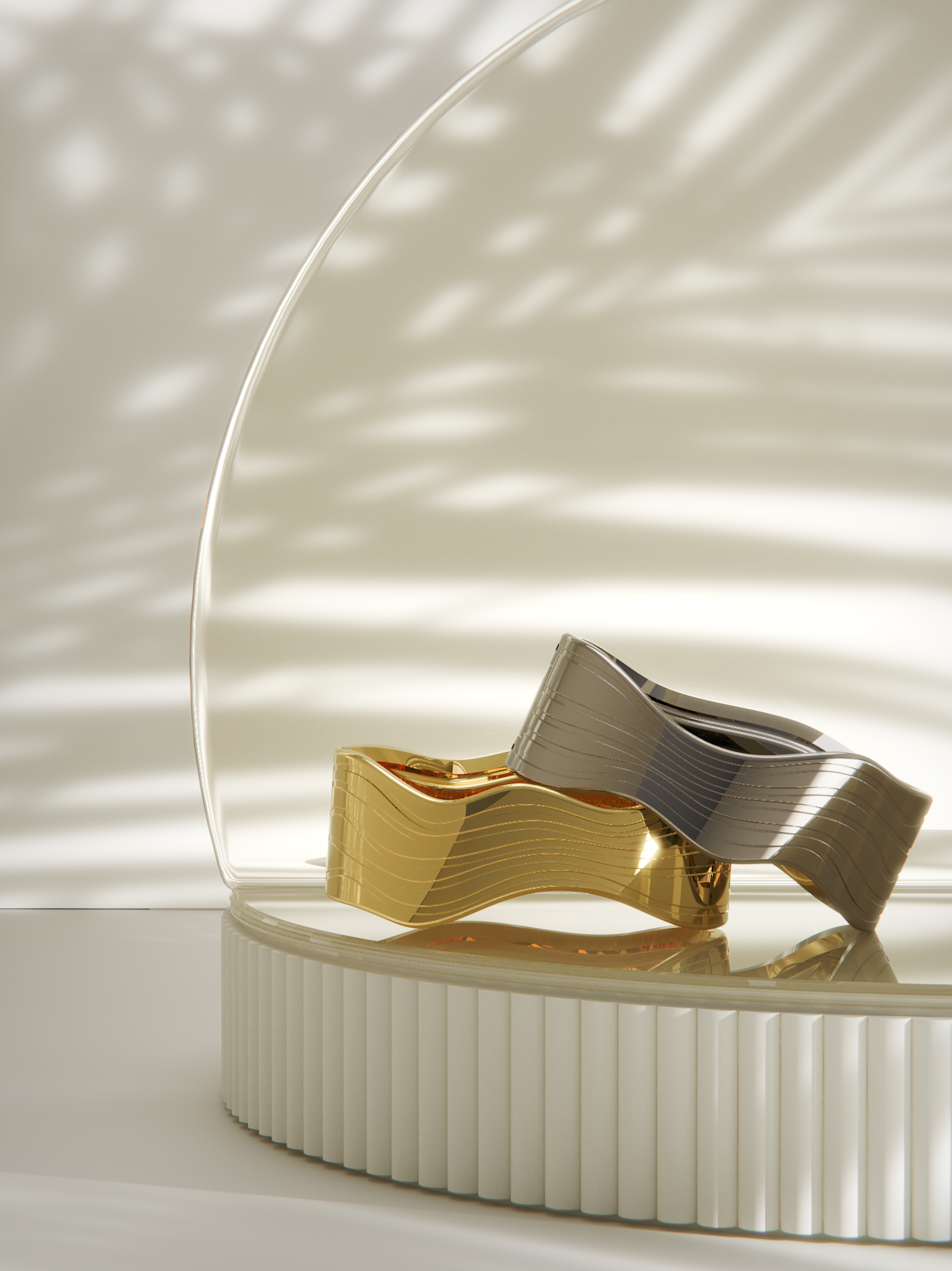
The hardest design challenge was also the most important: making the technology disappear. Early on, I realized that a safety product doesn’t fail because the features are wrong, it fails at the wardrobe. If a woman doesn’t want to wear it every day, none of the technology matters. So the bracelet had to read as real jewelery first, and hide everything clever inside.
That created some real engineering tension. The stainless steel that made the bracelet beautiful and durable was also killing the wireless signal, effectively turning it into a tiny Faraday cage. I solved it by rethinking the whole architecture: a metal outer shell with a small plastic break which keeps the premium look while letting the signal through.
Discretion raised problems too. If an alert is silent and invisible, how does the user know it actually worked? The answer was a small tactile trigger that only the user can feel.
Underneath all of this was one fixed aim: designing for real life. Small enough to be elegant, durable enough to survive daily wear, and simple enough to trust in a stressful moment.
What are the next steps for Venus Safety?
Over the next few months, I'm focused on putting our recent investment to good use. There are three things running in parallel: finalising our design for manufacture so the bracelet is ready to produce at scale, securing our international IP to protect the technology as we grow, and building our waitlist ahead of launch.
The part I'm most excited about is seeing the first prototypes come in from our manufacturers. There's a huge difference between a product on a screen and one you can wear and put to the test. Getting it out into the real world, into the everyday situations it was designed for, is the moment all of this becomes tangible.
From there, it's about turning that momentum into a launch and getting the bracelet onto the wrists of the women who have been waiting for it.
작업 과정 중 어느 단계에서 KeyShot Studio 사용하시나요?
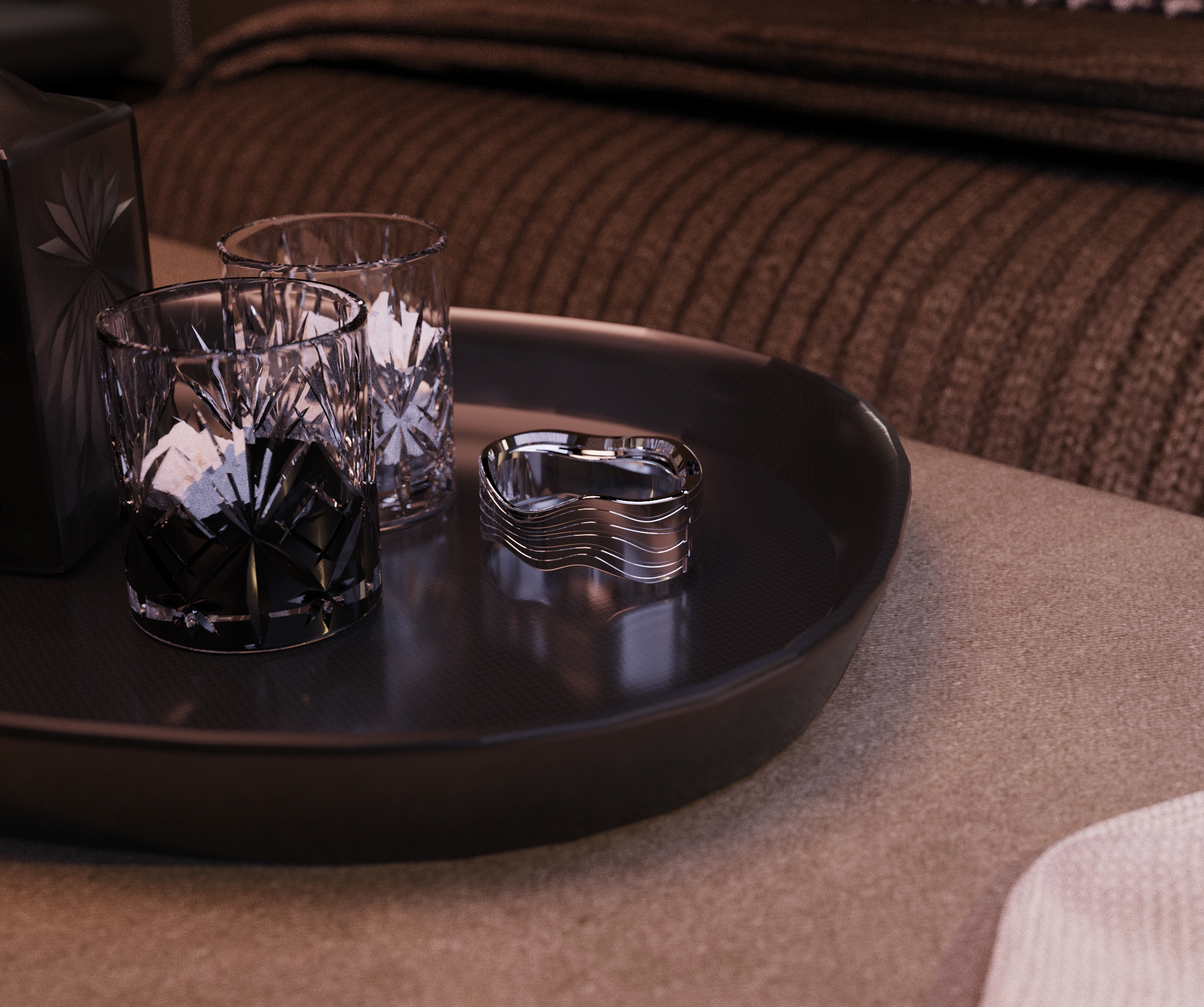
I use KeyShot to bridge the gap between how I see the product and how everyone else does. As a product designer, I can look at a rough sketch or CAD model and picture the finished bracelet straight away. Most people can’t, so a high-quality render does that for them.
That’s made KeyShot valuable beyond my design sessions – it’s helped me get investors onboard, letting them see and believe in the product long before there’s a working prototype to hold. And it’s also helped me build a community of people who really care about the mission, because once they can see the bracelet clearly, they connect with it.
KeyShot sits right at the point where design meets communication for me. It’s where an idea stops being mine alone and becomes something other people can picture, trust, and get behind.
What are your favorite KeyShot Studio tools or capabilities?
Two stand out for me. The first, and probably my favorite thing in KeyShot, is the materials library. The quality is genuinely incredible and being able to drag and drop a finish straight onto the model changes everything. The bracelet comes in gold and silver, so getting those metals to look truly premium matters enormously, and KeyShot nails that shine with almost no effort. It’s saved me hours and helped me produce results I’m really proud of.
The second is the video rendering. I expected it to be complicated and it just wasn’t. It’s intuitive enough that I could pick it up quickly and then keep tweaking until the shot felt right, which is exactly what I need as a small team moving fast.
Together, they let me make marketing-quality visuals of a product that doesn’t physically exist yet, which is really useful at this stage.
당신의 일을 해보고 싶어 하는 사람에게 어떤 조언을 해주고 싶으신가요?
Start before you feel ready. Venus Safety began as a university project, and if I’d waited until I had everything figured out, it would still be a sketch. You learn far more by putting something real in front of people than by brainstorming endlessly.
Talk to the people you’re designing for, as much as you can. My best decisions came from listening to real women describe real situations, not from my assumptions about what they needed. Design for their problem.
Surround yourself with people who know more than you. Hardware especially is unforgiving, and I’ve been able to get advice from specialists who have saved me from expensive mistakes. Asking for help is often a win-win situation.
And learn how to communicate your idea, not just build it. A brilliant product that nobody understands or has heard of goes nowhere. Being able to show people what you see, through renders, videos, storytelling, or good conversation, is what takes an idea into a company.
Learn how to communicate your idea, not just build it. A brilliant product that nobody understands or has heard of goes nowhere. Being able to show people what you see, through renders, videos, storytelling, or good conversation, is what takes an idea into a company.
Learn how you can power your visuals with KeyShot today