In product design, a CAD model can appear technically complete while still requiring substantial refinement. Standard shaded views communicate proportions and general form, but they do not always reveal subtle inconsistencies in surface flow. These become much more visible when light begins to move across the geometry.
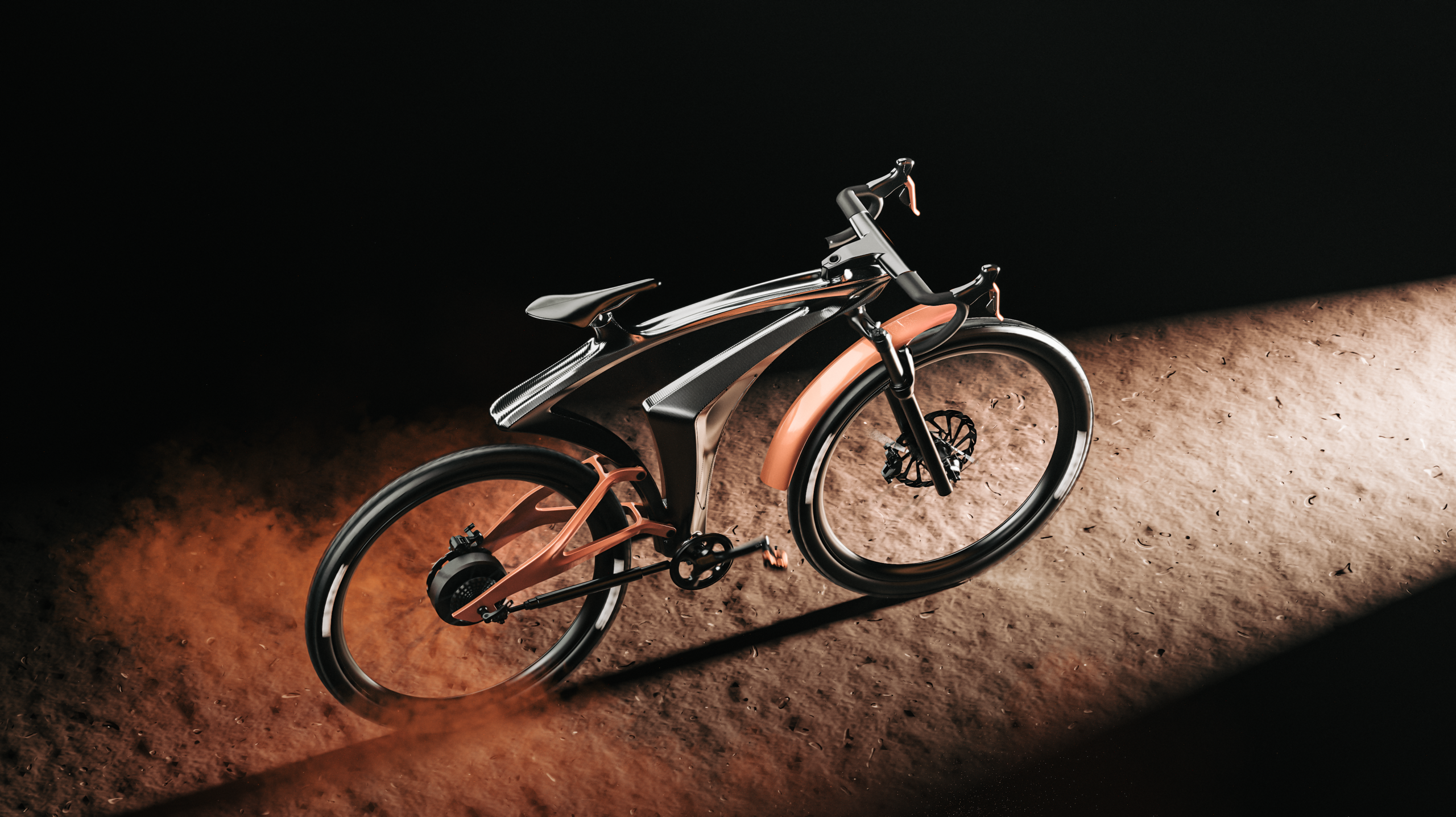
While developing the SYNTHESIS bicycle frame, I used Rhino and KeyShot as complementary parts of the same iterative workflow. Rhino allowed me to construct and inspect the underlying geometry, while KeyShot helped me understand how those surfaces would behave under more realistic materials and lighting conditions. Instead of using rendering only at the end of the project, I treated reflections as a design tool throughout the refinement process.
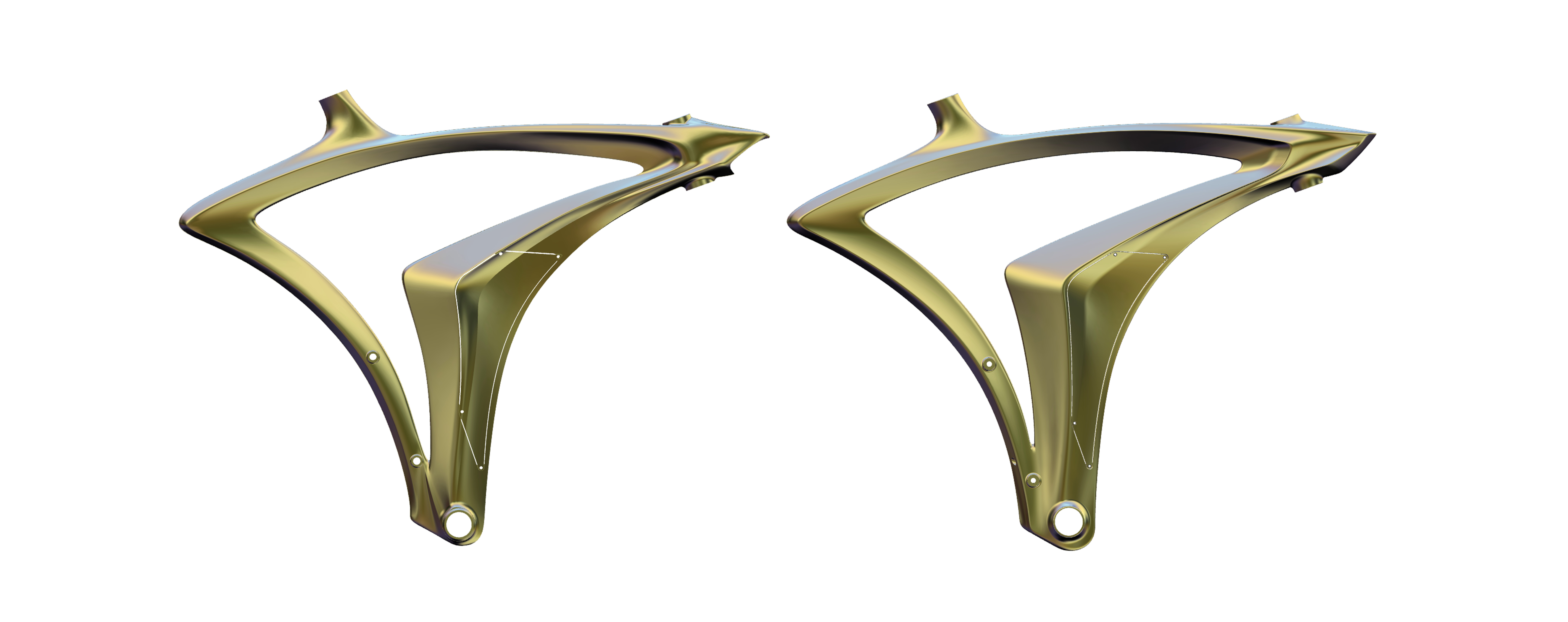
(Overall comparison of the original and refined SYNTHESIS frame geometries, showing the evolution of the surface architecture and visual hierarchy.)
From the Original Concept to a Refined Surface System
The original SYNTHESIS frame established the project’s identity through an expressive, continuous structure. As the design evolved, however, I wanted to achieve greater control over the relationship between its main volumes. The objective was not simply to make the frame smoother, but to create clearer transitions, a more coherent visual hierarchy and reflections that reinforced the intended direction of the form.
The refined geometry was rebuilt using a Class-A-inspired approach. Particular attention was given to the areas where multiple surfaces converge, including the upper junctions, the central frame transition and the region surrounding the bottom bracket. These are visually sensitive areas because even a small change in curvature can interrupt a highlight or create unwanted surface tension.
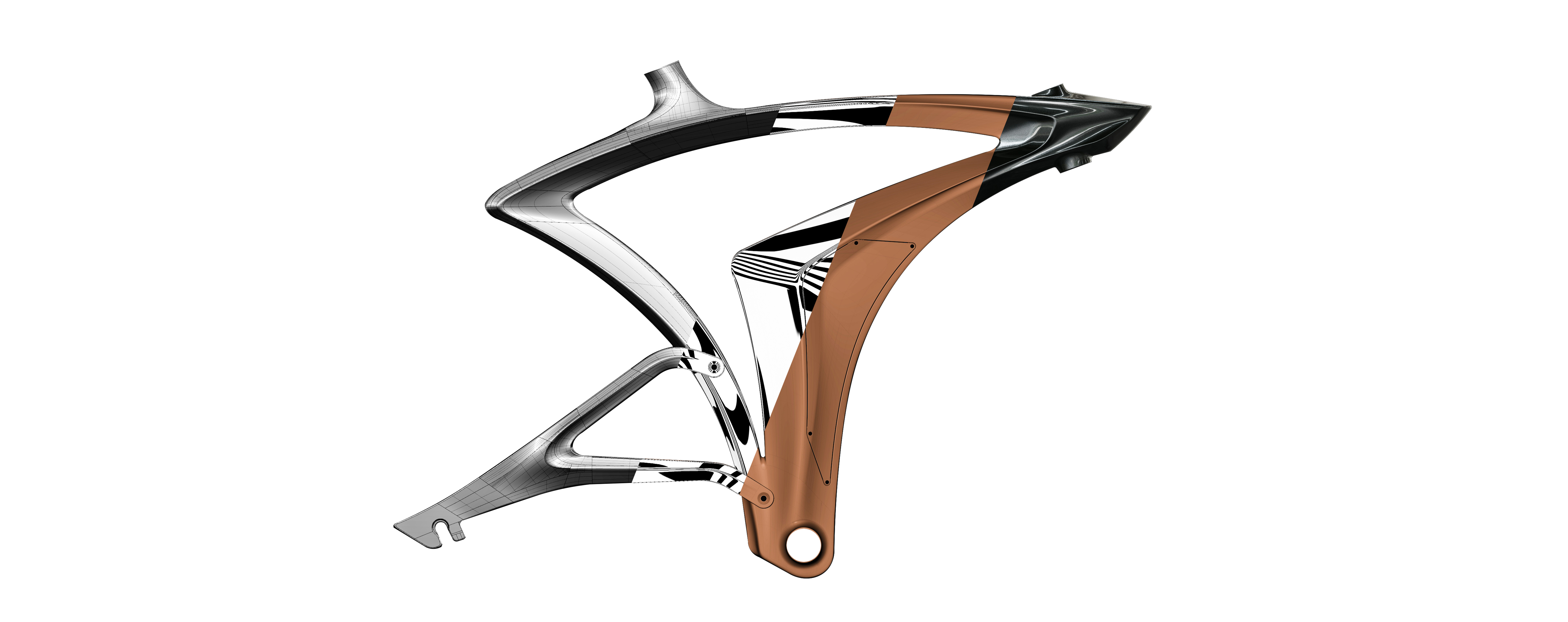
(A layered visualization of the Class-A development process, connecting surface construction, diagnostic analysis and final reflection control.)
Reading Surface Continuity in Rhino
Zebra and environment-map analysis in Rhino provided the first diagnostic stage. The reflected stripes made it possible to identify abrupt directional changes, compressed areas and inconsistencies that were difficult to notice in a conventional shaded viewport.
A continuous and gradually changing stripe does not automatically prove that a surface is perfect, but it provides valuable information about how neighbouring surfaces interact.
Sudden breaks, pinching or unexpected changes in stripe width may indicate a transition that requires further investigation.
Comparing the original and refined frames under the same analysis conditions revealed a more controlled flow across the new geometry. The redesigned surfaces guide the highlights more consistently along the length of the frame, while the main junctions appear more integrated into the overall form.
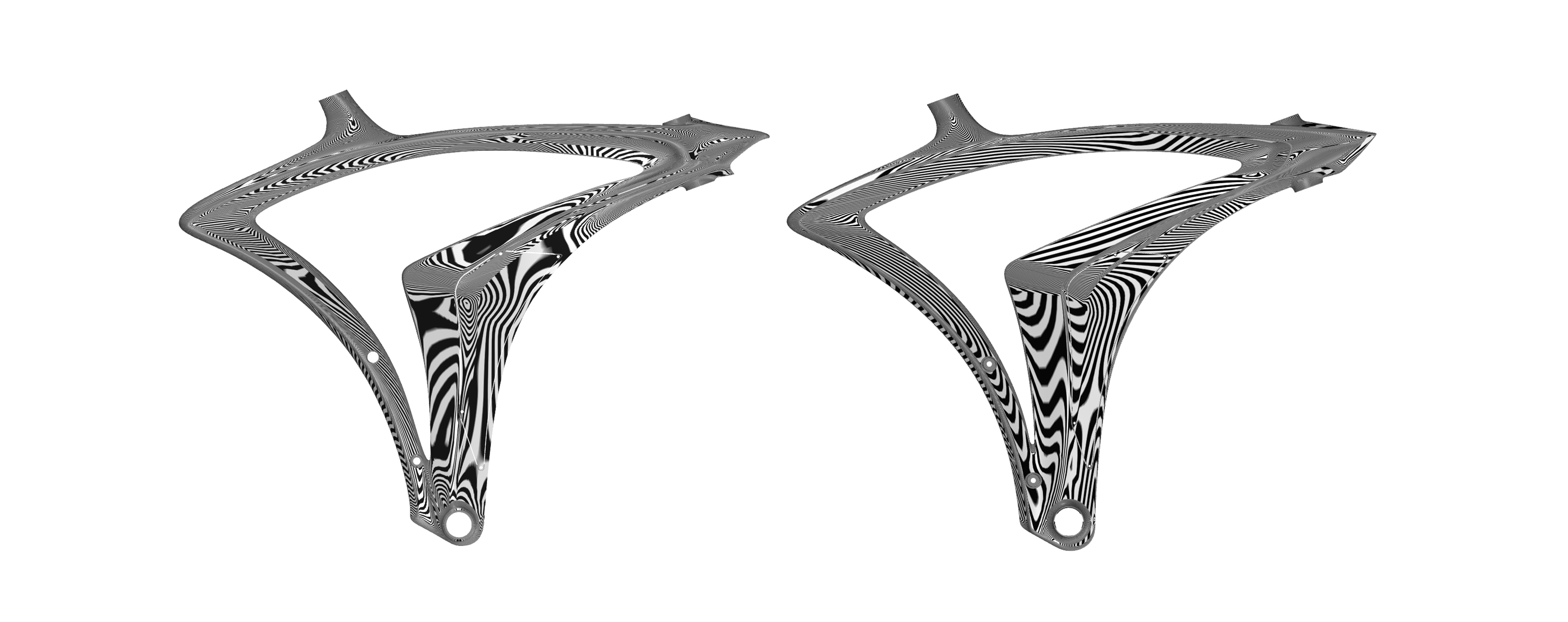
(Zebra analysis in Rhino reveals differences in highlight continuity, surface tension and the integration of the frame’s main volumes.)
Reading Surface Continuity in Rhino
Zebra and environment-map analysis in Rhino provided the first diagnostic stage. The reflected stripes made it possible to identify abrupt directional changes, compressed areas and inconsistencies that were difficult to notice in a conventional shaded viewport.
A continuous and gradually changing stripe does not automatically prove that a surface is perfect, but it provides valuable information about how neighbouring surfaces interact.
Sudden breaks, pinching or unexpected changes in stripe width may indicate a transition that requires further investigation.
Comparing the original and refined frames under the same analysis conditions revealed a more controlled flow across the new geometry. The redesigned surfaces guide the highlights more consistently along the length of the frame, while the main junctions appear more integrated into the overall form.
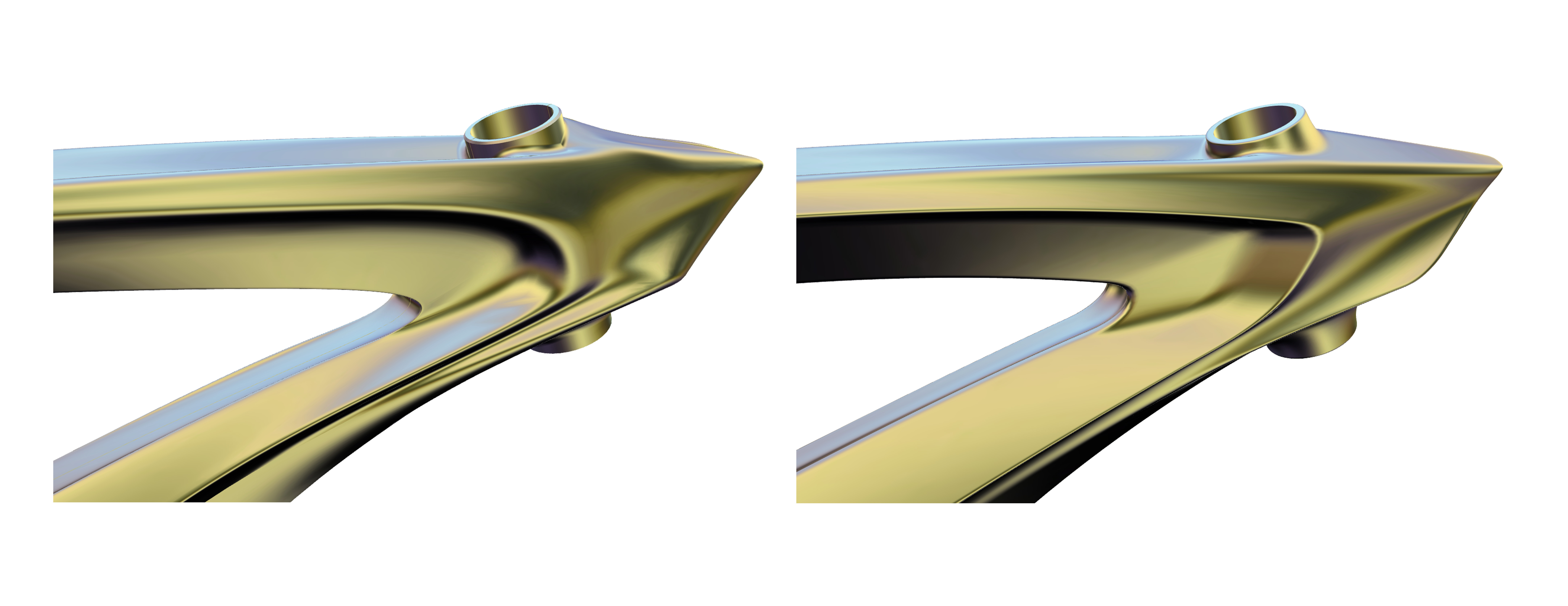
(Close-up comparison of critical junctions, illustrating how local transitions and highlight behaviour were refined during the redesign.)
Moving the Evaluation into KeyShot
Although Rhino’s diagnostic tools were essential, I also wanted to observe the geometry under lighting conditions that were closer to a physical product. After importing the model into KeyShot, I applied a series of uniform diagnostic materials and used a controlled studio environment to evaluate the reflections.
Highly reflective materials expose small irregularities by producing sharp, clearly defined highlights. Softer satin finishes reveal the broader relationship between volumes and help evaluate whether a transition feels visually balanced. Using both made it easier to distinguish an actual geometry issue from an effect caused by material roughness, lighting or viewing angle.
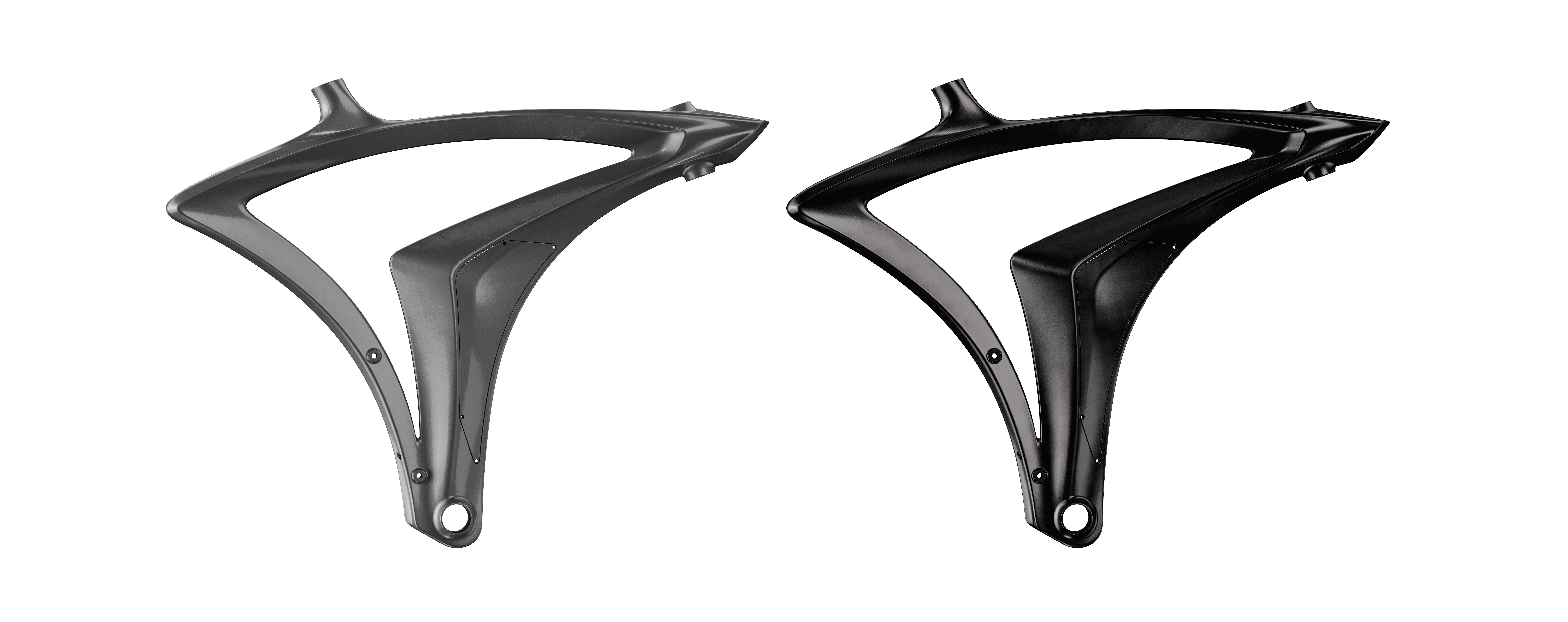
(The same geometry evaluated through different diagnostic materials in KeyShot. The reflective finish exposes local highlight behaviour, while the softer material reveals the broader transition between volumes.)
The close-up views were particularly useful around the upper frame junction. Under a reflective material, the movement of light across the converging surfaces becomes immediately visible. A highlight that narrows unexpectedly, becomes distorted or changes direction too abruptly can signal that the underlying surface still needs refinement.
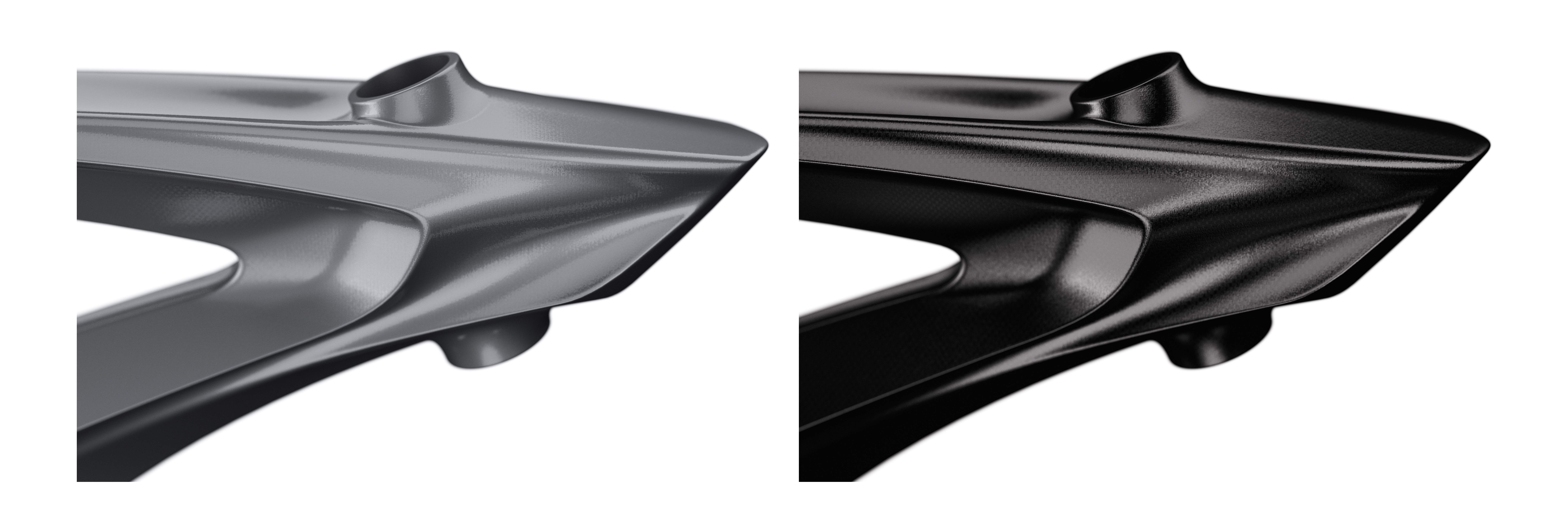
(Detailed KeyShot evaluation of a critical junction under two material responses, showing how surface characteristics affect the readability of the geometry.)
Reflections as Part of the Design Process
This workflow changed the role of visualization within the project. KeyShot was no longer only the final stage used to produce presentation images; it became part of the design process itself. Realistic reflections provided an additional layer of feedback between technical surface analysis and the way the product would ultimately be perceived.
For complex products, especially those influenced by mobility and automotive design, surface quality is inseparable from light. A carefully constructed form must not only be geometrically accurate it must also communicate its intention through the movement of reflections.
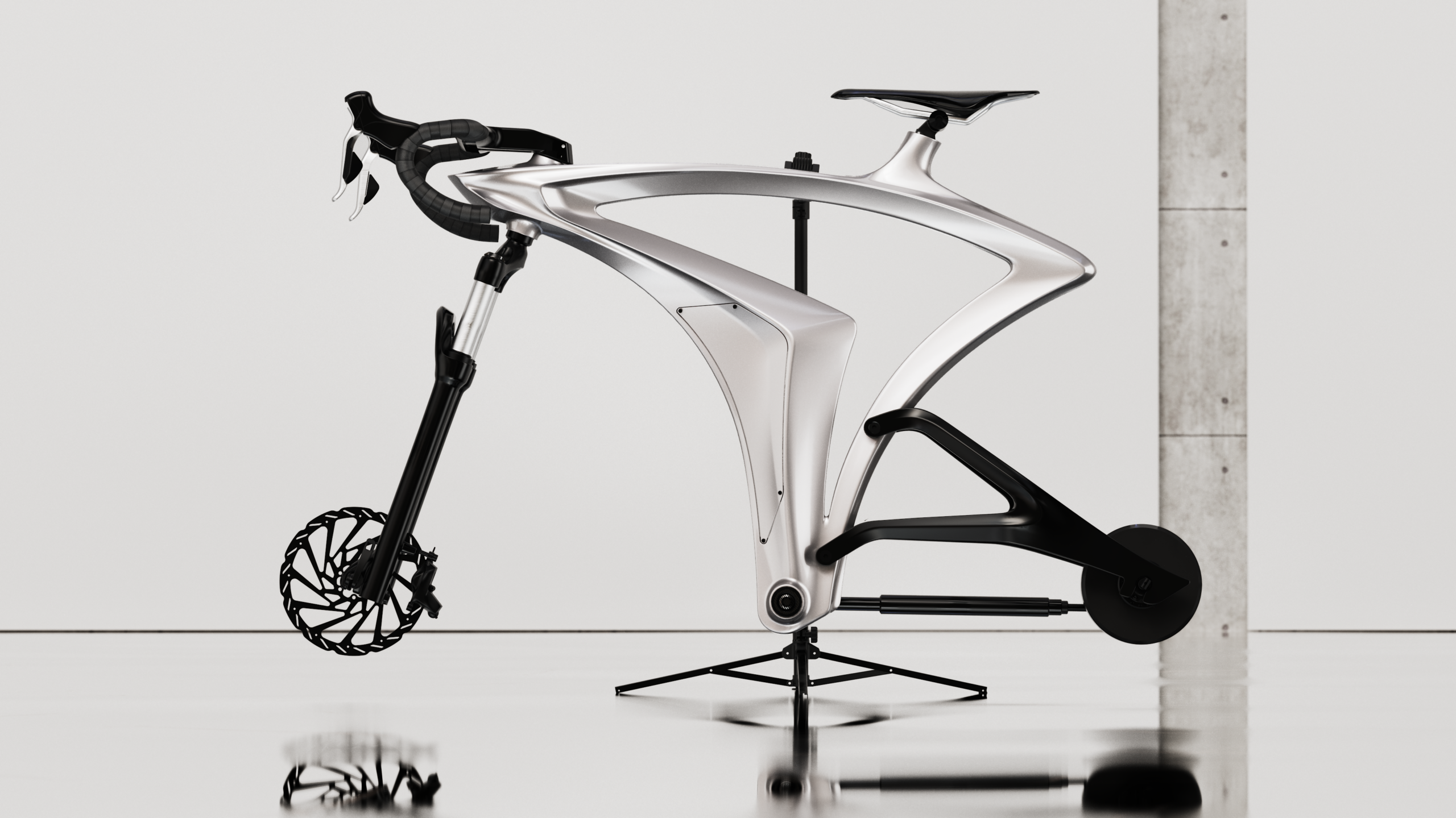
By moving repeatedly between Rhino and KeyShot, I was able to evaluate SYNTHESIS as both a CAD model and a visual object. The result is a more coherent surface system in which geometry, material and light work together to define the final design
Want to see what real-time rendering looks like during the design process? Try KeyShot free and explore how materials, lighting, and camera changes update interactively in the viewport.